
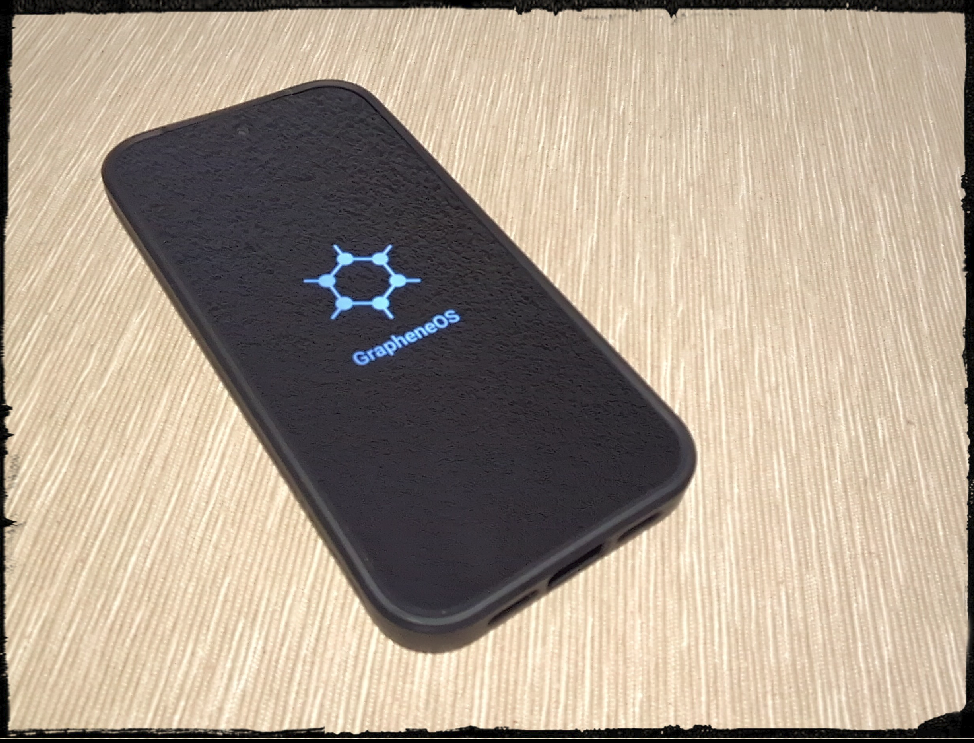
I’ve been running GrapheneOS on a Pixel 6a for several years now. But that phone’s support window is coming to an end, so I picked up a Pixel 10a and rebuilt the whole setup from scratch — no Google account, no Play Store, nothing phoning home in the background. Everything on it now comes from sources I chose and can verify.
This isn’t a one-off experiment. It’s the phone I use every day for email, messaging, banking, notes, music, calendar, everything. Here’s what’s on it, and why.
Why GrapheneOS
Regular Android phones — even “privacy-friendly” ones — are built around a Google account that quietly ties your location, contacts, search history, and app usage together into one profile. GrapheneOS removes that foundation entirely. It hardens the operating system itself, with stronger memory protection and a much smaller attack surface, while staying fully usable day-to-day. The tradeoff is that it only runs on Google Pixel hardware, and getting apps requires more intentional choices than just opening the Play Store. I covered this tradeoff, and the alternative of Murena phones, in more detail in The Most Powerful Surveillance Device You Own — worth a read if you’re weighing whether this is for you.
One caveat on the “no Google” framing, to be precise about it: Google Play Services is installed and running on the phone, since it’s what makes push notifications reliable on Android. Crucially, it runs sandboxed — GrapheneOS’s own compatibility layer, isolated from the rest of the system with no special privileges, unlike a stock Android install where Play Services has deep system access by default. There’s no Google account signed in and no Play Store present. It’s a middle ground, not a fully hardcore setup.
How I Get Apps
Instead of one app store, I use a hierarchy: Obtainium first, which pulls apps directly from their source (usually GitHub) and tracks updates without any middleman. F-Droid second, for open-source apps. Aurora Store only as a last resort, for the handful of closed-source apps with no alternative. Google Play never enters the picture. I also keep the install list deliberately short — only apps I actually use regularly make the cut, rather than accumulating things “just in case.” Fewer apps means a smaller footprint of things that could go wrong, and a phone that’s genuinely easier to maintain.
The Apps, And Why
Communication: my daily phone doesn’t carry a SIM card or a phone number at all, so messaging and calls work differently than on a typical phone. Signal — the messenger I’d point anyone toward, and the one we recommend in Text Like Nobody’s Watching — is my primary means of both messaging and voice calls, end-to-end encrypted and not tied to a phone number the way regular calling is. For actual voice-over-IP calls where a traditional number is still needed, Linphone handles that instead. Thunderbird handles my email over my own mail provider, not Gmail. Proton Mail and SimpleLogin, for disposable email aliases, keep specific accounts compartmentalised — more on why we picked these providers in Email Providers Built Around Your Privacy. Mastodon replaces the surveillance-driven feeds of mainstream social platforms.
Input: FUTO Keyboard handles typing and voice-to-text, with all voice transcription happening locally on the device — nothing is sent to a cloud service to be transcribed. I wrote more about why local voice transcription matters in this post.
Browsing: Brave and Waterfox both block trackers by default, so my browsing habits aren’t being packaged and sold — we go deeper on why in Browsers That Protect You Before You Ask.
Passwords and files: KeePassDX stores my passwords in an encrypted database, synced to my own NAS at home — not a corporate cloud. Cryptomator encrypts sensitive files before they’re synced to Nextcloud, so even the storage provider can’t read them.
Calendar and contacts: DAVx⁵ and Etar sync my calendar and contacts directly with my own NAS — no Google Calendar, no Google Contacts.
Network privacy: Proton VPN encrypts my connection, and Orbot routes traffic through Tor when I want an extra layer of anonymity — we cover why a VPN matters, and what it doesn’t protect against, in Hide Your Traffic, Not Just Your Address.
Media: NewPipe and AntennaPod let me watch and listen without an account feeding a recommendation algorithm. VLC and MuPDF just play files locally, no phoning home.
Everyday tools: Breezy Weather, Obsidian and Joplin for notes, and Kvaesitso as a launcher that doesn’t track app usage.
AI, self-hosted: I’ve been running Open WebUI on my own server for over a year now, which lets me run private AI chat entirely on infrastructure I control instead of sending prompts to a third-party provider. There’s no native Android app for it — it’s web-only by design — so I access it as a progressive web app pinned to the home screen, and it opens and feels exactly like a native app. That’s actually a pattern I’d recommend more broadly: I lean on progressive web apps over native installs whenever a service offers one, especially for proprietary apps, since it means one less closed binary on the phone that needs permissions, storage, and trust. That whole self-hosted AI setup deserves its own writeup, so I’ll save the details for a future post.
Isolation: GrapheneOS supports multiple user profiles on one device, so I keep a second, fully separate profile for anything I don’t fully trust yet — trying out a new app, or anything less vetted — completely walled off from my main profile and data. That second profile also does double duty as the home for banking apps that require Google Play Services and the Play Store to function, keeping anything Play Store-dependent fully separated from my main, Play Store-free profile.
What This Actually Buys Me
No single company holds a complete profile of my life. My data lives on my own server, not a corporate one. There’s also a quieter benefit that’s easy to overlook: no ads, anywhere — not in the browser, not in videos, not anywhere else on the phone — and effectively no spam. Without a Google account or ad-SDK-laden apps, there’s nothing feeding an advertising profile in the first place. And because every email address I hand out is a unique SimpleLogin alias, if a single spam message ever arrives on one, I just kill that alias — the sender loses access instantly, and nothing else is affected. And crucially, none of this requires giving up a smartphone or living without modern conveniences — everything above just works, day to day, the way any phone does.
Key Takeaways
- GrapheneOS removes Google’s tracking at the operating system level while keeping the phone fully usable — I’ve run it for years across two Pixel devices.
- Google Play Services runs sandboxed, isolated with no special system privileges — no Google account, no Play Store, but push notifications still work reliably.
- The phone carries no SIM card or phone number — Signal handles primary messaging and calls, with Linphone for VoIP calls that still need a traditional number.
- App sourcing follows a strict hierarchy — Obtainium, then F-Droid, then Aurora Store only as a last resort — and the app count stays limited to what’s actually used.
- Core data — calendar, contacts, passwords, files — syncs to a self-hosted NAS and Nextcloud instead of a corporate cloud.
- Self-hosted Open WebUI, running for over a year now, handles private AI chat as a progressive web app — a pattern worth using more broadly instead of native, especially proprietary, apps.
- A second, isolated user profile keeps untrusted or unvetted apps separate, and also hosts banking apps that require Google Play Services and the Play Store.
- No Google account, no ad-funded apps or browsers, and disposable email aliases mean no ads anywhere on the phone and next-to-no spam — any alias that gets spammed is simply killed.
- This setup doesn’t require sacrificing convenience — it’s a fully functional daily-driver phone.
Photo: the author’s own Pixel 10a, shown in its protective case with a privacy screen protector fitted.